
Build your own arcade
3 Arcade Cabinet Kit Options: Upright, Bartop and Cabaret in 2026
As an Amazon Associate, this website earns from qualifying purchases.
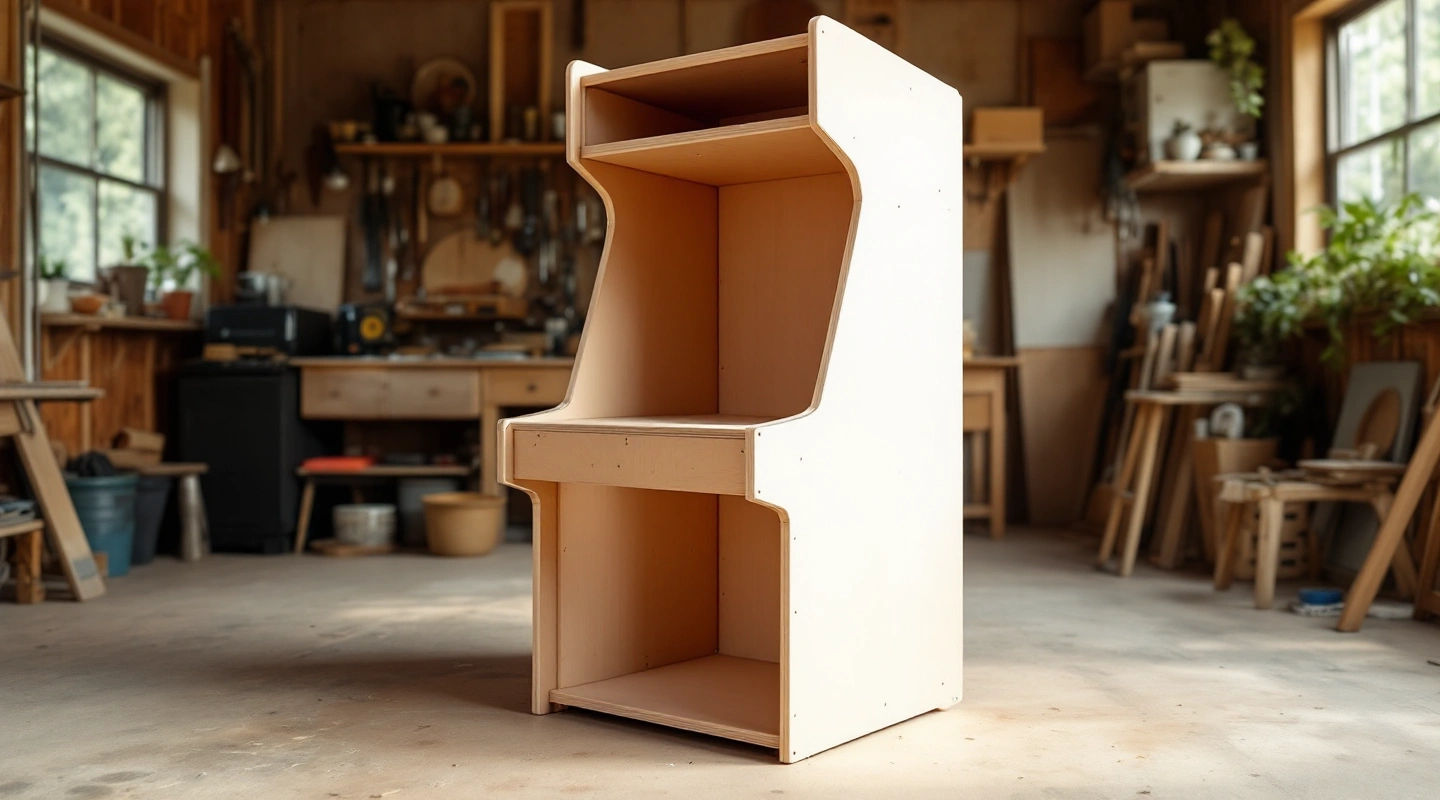
The short answer
Choose the LVL32J for an upright build, the LVL23 for a supported tabletop setup, or the LVL23PC for a matching separate console. All three are panel kits. Controls and screens are separate, and a cutout does not prove a device is included. Check exact case dimensions and package contents before ordering.
Our top 3 picks
- 1Upright shell
 LVL32J 2-Player Upright Arcade Cabinet KitLVL32J 2-Player Upright Arcade Cabinet Kit
- Upright LEP1 panel kit
- Selected HAPP layout with U-Trak cutout
- Display and controls are separate
- 2Bartop shell
 LVL23 2-Player Bartop Arcade Cabinet KitLVL23 2-Player Bartop Arcade Cabinet Kit
- Two-player bartop panel kit
- Selected HAPP-style control pattern
- Separate support surface required
- 3Console cabaret shell
 LVL23PC Cabaret Cabinet Kit for Pandora's BoxLVL23PC Cabaret Cabinet Kit for Pandora's Box
- LEP1 cabaret panel kit
- Console drop-in space
- Console and display not included
An arcade cabinet kit can save you from designing the shell, but it does not finish the machine. These three LEP1 Customs kits are panel sets. Choose between them by the cabinet shape and the parts you intend to install. A control cutout is not a supplied joystick, and a monitor-size label is not a complete fit check.
#1. LVL32J 2-Player Upright Arcade Cabinet Kit
LVL32J 2-Player Upright Arcade Cabinet Kit LVL32J 2-Player Upright Arcade Cabinet Kit
Our verdict:
Upright shell
For a floor-standing build after the display case and selected HAPP cutouts are checked.
View on Amazon- Upright LEP1 panel kit
- Selected HAPP layout with U-Trak cutout
- Display and controls are separate
Keep in mind: A trackball cutout does not establish that a trackball ships.
The LVL32J maker page describes an upright shell for a display up to the stated 32-inch class. It also gives a case-width limit. Compare both with your actual monitor. Its diagonal does not establish the width of its housing or the position of its rear mount.
The selected listing names the HAPP layout with an Ultimarc U-Trak cutout. That identifies a panel option. It does not establish that a trackball or controls ship with the shell. The maker lists controls and the monitor among the separate parts needed.
Confirm the exact layout before ordering; another version's holes may differ.
#2. LVL23 2-Player Bartop Arcade Cabinet Kit
LVL23 2-Player Bartop Arcade Cabinet Kit LVL23 2-Player Bartop Arcade Cabinet Kit
Our verdict:
Bartop shell
For a tabletop build with the selected HAPP-style panel and a supported screen shape.
View on Amazon- Two-player bartop panel kit
- Selected HAPP-style control pattern
- Separate support surface required
Keep in mind: Check square versus widescreen support and the real monitor case.
The LVL23 maker page covers a tabletop shell. It names a 19-inch square display or a widescreen up to 23 inches. Those are different screen shapes, rather than proof that every monitor between those diagonals fits.
This ASIN selects the HAPP-style version. The maker also offers other control patterns, but those are not the same order. A HAPP-shaped mounting pattern does not mean genuine HAPP controls are included. Check the prepared holes against the actual parts.
The table or stand beneath the completed cabinet is another part of the build.
#3. LVL23PC Cabaret Cabinet Kit for Pandora's Box
LVL23PC Cabaret Cabinet Kit for Pandora's Box LVL23PC Cabaret Cabinet Kit for Pandora's Box
Our verdict:
Console cabaret shell
For a cabaret build around a separately owned console that matches the opening.
View on Amazon- LEP1 cabaret panel kit
- Console drop-in space
- Console and display not included
Keep in mind: Confirm the console outline and the separate display mount.
The LVL23PC maker page describes a taller cabaret shell with a drop-in space for a separate console. It explicitly says the Pandora's Box is not included. Do not compare its price with a ready-to-play cabinet without adding the missing hardware.
The console opening needs a shape check against the unit you own. A family name does not settle that fit. Check the maker's supported arrangement and the exact screen mount. The cabinet still needs a separate display; the console space does not replace one.
Game rights remain a separate question from the shell fitting a console.
What to check before ordering
Start with the item you already own. If it is a display, record its outer size and rear mount. If it is a console, record its full outline and cables. Compare that record with the kit drawings before choosing a cabinet shape.
A photograph of an assembled example can include items outside the kit.
Make two lists: confirmed contents and parts still needed. Use the exact variant's page. Do not count a hole, a bracket or an illustrated control as an included device. Ask for a contents list when wording conflicts.
Keep the reply with the order so the chosen variant is clear.
| Kit | Starting point | Main check |
|---|---|---|
| LVL32J | Floor-standing upright | Display case and selected control cutouts |
| LVL23 | Cabinet on a separate surface | Screen shape and support beneath the cabinet |
| LVL23PC | Cabaret shell for a separate console | Console opening plus the separate display |
Scroll for more →
Match an arcade cabinet kit to the whole project
The shell is one cost line. Add the display and computer or console. Then add the controls and their encoder, followed by audio and the required cables. Keep finish supplies and assembly hardware on the record too.
Mark an unquoted item as unknown rather than treating it as free.
Check each connection as a separate task. A screen fitting in the wood does not prove its video input matches the host. A button fitting its hole does not prove the cable fits its switch. The control-system guide helps separate these checks from the cabinet dimensions.
Plan service access before adding a finish. You may need to reach a connector or remove a control later. Follow the kit and component makers' instructions for assembly. This comparison provides no mains-voltage wiring steps or structural load approval.
| Line | Record | Before ordering |
|---|---|---|
| Display | Case size, rear mount and video input | Check the shell and host |
| Controls | Exact parts and prepared holes | Confirm the selected layout |
| Host | Computer or console and required cables | List included and separate items |
| Games | Lawful source and supported inputs | Do not infer rights from a game count |
| Finish | Surface preparation and edge treatment | Use the maker's assembly order |
Scroll for more →
Frequently asked questions
Does a trackball cutout mean the trackball is included?
No. A cutout identifies a panel option. The maker's exact contents list determines which parts ship.
Does the LVL23PC still need a screen?
Yes. It is a shell with space for a separate console and display. The console is not included either.
Can a screen diagonal prove fit?
No. Compare its case and rear mount with the shell. The LVL23 also distinguishes square and widescreen formats.
Verdict
Choose an arcade cabinet kit around the parts and space you can document. The LVL32J is the upright route, the LVL23 needs a separate support surface, and the LVL23PC needs a matching console as well as a display. None of the three is a complete game machine. Use the build guide and empty cabinet guide to finish the parts record before comparing the total project cost.