
Compact and table arcades
Wall Mounted Arcade Machine: Space and Installation Requirements in 2026
As an Amazon Associate, this website earns from qualifying purchases.
The short answer
Choose this full-size Umbrella cabinet only if you own the wall, have a clear play area and can get the maker's installation guide, supported wall types, fastener list and weight for your exact revision. Skip it if you rent without permission or cannot confirm those documents. A bartop cabinet is the safer fallback.
On this page19
- Umbrella Full-Size Wall Mounted Arcade Machine
- Confirm the full-size model before you pay
- Compare documented cabinet designs
- Wall mounted arcade machine weight and size
- Wall structure documentation to request
- Floor space a wall mounted arcade machine still uses
- Plan control height and cable routing
- Power route and outlet planning
- Check service access
- Delivery and receiving
- Computer and game library claims
- Scenario: a rented home
- Scenario: a finished game room
- Scenario: a shared family space
- Choose a documented installation route
- What to check before ordering
- Frequently asked questions
- Mounting and handling
- Verdict
Our pick
- 1Full-size wall cabinet
 Umbrella Wall Mounted Arcade Gaming PCUmbrella Wall Mounted Arcade Gaming PC
- Full-size Umbrella wall cabinet
- Catalog lists a 32-inch display
- Catalog names built-in PC and Sanwa controls
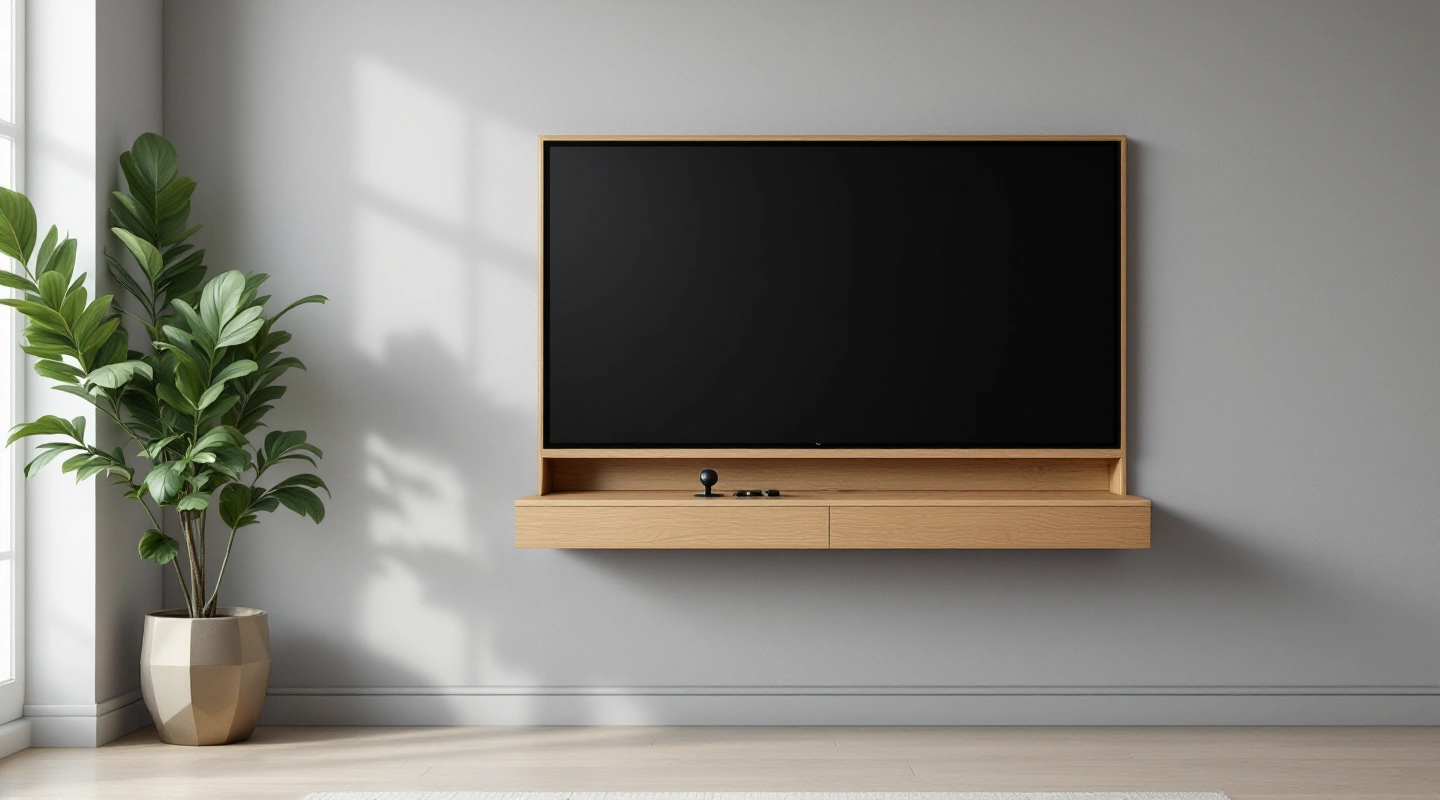
A wall mounted arcade machine looks simple in a photo, but the buying choice rests on documents. This review covers one product, the full-size Umbrella Wall Mounted Arcade Gaming PC, listed under ASIN B0GKZCKTYF. It draws on the Umbrella Arcades product page and the catalogue listing. It is not a hands-on test.
You will see which facts are documented, which are listing claims, and which questions to put to the maker before any hardware goes near a wall.
Umbrella Full-Size Wall Mounted Arcade Machine
Umbrella Wall Mounted Arcade Gaming PC Umbrella Wall Mounted Arcade Gaming PC
Our verdict:
Full-size wall cabinet
This suits a reader who has a documented wall, a clear play area and a plan for power and service, and who wants a steel cabinet with a built-in PC.
View on Amazon- Full-size Umbrella wall cabinet
- Catalog lists a 32-inch display
- Catalog names built-in PC and Sanwa controls
Keep in mind: Obtain the mounting specification and exact revision weight before committing to a wall location.
The maker page describes a full-size cabinet with a 32-inch display and a steel body. Its FAQ gives family figures of about 53 inches tall, 34.5 inches wide and 18 inches deep. It gives a weight of about 130 to 135 pounds. Use these for early room planning.
Then confirm them against the exact revision you receive before anyone plans a mount.
The catalogue listing adds detail. It names 16-gauge steel and Sanwa joysticks and buttons. It also names an LG 1080p monitor and dual 60W speakers with a 100W amplifier. The listing describes a preconfigured Windows 11 PC with WiFi and Bluetooth, plus a Batocera frontend.
These are listing claims, so ask the seller to confirm each one for the unit you buy.
This pick suits a buyer who wants a fixed, upright cabinet with a computer inside. That buyer must also be willing to gather wall documents first. It suits less well anyone who moves often, rents without permission, or wants a cabinet that can shift between rooms. Mounting suitability for the exact revision has not been verified, and that is the first item to settle.
| Useful feature | Trade-off or check |
|---|---|
| Maker page describes a 32-inch display and steel cabinet for the full-size line | Mounting suitability for the exact revision has not been verified |
| Maker FAQ gives family size and weight figures for early room planning | Figures describe the family and must match your revision |
| Listing names a built-in Windows 11 PC with WiFi and Bluetooth | Listing claims need seller confirmation for your unit |
| Upright design can reduce floor use compared with a floor cabinet | Players still need a clear standing area |
| Listing names Sanwa controls and an LG 1080p monitor | Game library counts are seller claims and do not prove rights |
Scroll for more →
Confirm the full-size model before you pay
The maker sells more than one wall format. The Mini is a separate product and is not the pick in this review. This page covers the full-size Umbrella Wall Mounted Arcade Gaming PC under ASIN B0GKZCKTYF. Check the title, the ASIN and any size line on the order page before you pay.
The maker page describes a 32-inch display and a steel cabinet for the full-size line. Ask the seller about a different screen size before ordering. A model name is a poor shortcut because one name can cover more than one revision. A revision can change size, weight or hardware.
Keep a screenshot of the listing at the time you order. Ask the seller to name the revision in writing. Ask which maker page matches it. File both with your room plan so you can show exactly what you chose and when.
This step also protects you from mixing up facts. A Mini figure is not a full-size figure. A figure from another brand's wall cabinet is not a figure for this one. Each number you rely on should trace back to the full-size product.
Compare documented cabinet designs
Wall cabinets are not one design. Some hang on a wall plate. Some sit on a shelf that is fixed to the wall. Some are floor cabinets that merely lean against it.
Each design asks something different of your wall and your room.
For this pick, the maker page shows a full-size steel cabinet. Which fixing method your revision uses has not been verified here, so do not assume any of the designs above. Ask the maker to name the method and show the document that describes it. That one answer decides most of the later steps.
Other makers also sell wall formats, including Arcade1Up. Their cabinets differ in cabinet measurements and control hardware. Read the document for each model on its own. Do not carry a setup from one cabinet to another because the pictures look alike.
The comparison below uses the same questions for any wall cabinet. It shows what to ask rather than what any one cabinet answers.
| Question | Why it separates designs | Where the answer lives |
|---|---|---|
| Attachment method | Wall plates and shelf mounts load the wall differently | Maker installation guide for the exact revision |
| Supported wall types | Different walls suit different fixings | Maker written statement |
| Cabinet depth | Depth sets how far it reaches into the room | Maker dimensions for the revision |
| Control height | Mounting height decides who can play | Maker diagram or written reply |
| Service access | Some designs need clearance around the cabinet | Maker service guidance |
Scroll for more →
If the format itself is the problem, look at a different type. A bartop arcade machine sits on furniture and avoids the wall question. The wider tabletop arcade games guide covers other compact formats. Those have their own space checks, so treat their records as separate.
Wall mounted arcade machine weight and size
The maker FAQ lists about 53 inches tall, 34.5 inches wide and 18 inches deep. It lists a weight of about 130 to 135 pounds. These figures come from the Umbrella Arcades product page and describe the maker's full-size family. They are not a measurement of your unit.
Use the figures to plan space and handling. Weight touches every part of the job, including the carry path and the number of people who help. This review cannot say what any wall can carry, and no source here proves a wall load. That answer has to come from the maker for your exact revision.
Keep each figure with its source and exact model name. When the box arrives, compare the label and documents with your sheet. If any figure differs, message the maker before you plan the install.
| Measure | Maker family figure | What it helps you plan |
|---|---|---|
| Height | About 53 inches | Top edge and clear wall area |
| Width | About 34.5 inches | Side clearance and door swing |
| Depth | About 18 inches | How far the cabinet reaches into the room |
| Weight | About 130 to 135 pounds | Handling and delivery |
| Display | 32 inches, per maker page | Viewing distance and wall area |
Scroll for more →
The weight range matters in a practical way. A spread of five pounds is small, but it shows the maker gives a range and not one number. Ask which end applies to your revision. Then plan the carry for the heavier figure.
Wall structure documentation to request
A good request is short and specific. Ask the maker for the installation guide for the exact full-size revision. Ask which wall types it covers and which it does not. Ask for any warnings about wall condition.
Do not accept a general reply that the cabinet mounts to a wall.
Also ask what the maker expects you to supply. Documents often split parts into those in the box and those you must buy. The listing for this ASIN does not settle that split, so leave the line open until you see the maker document. Keep the reply with your order record.
This guide gives no structural steps and no load advice. Wall types and local building rules vary, and only the maker can say what suits its cabinet. If the maker will not name supported wall types, treat the answer as no for now.
Bracket and fastener records
Bracket style, the count of fixing points and the fastener types have not been verified for this revision. Do not copy a setup from a forum post or another model. Another cabinet may use different hardware.
Make a simple table in your notes with three columns: part and source, with a status for each. Mark each part as in the box, bought by you or unknown. When delivery arrives, check the contents against the maker list. Photograph the parts before you start.
If a part is missing or looks different from the document, stop. Send the maker your order details and photos. A short pause costs little, and a guessed part can cost much more.
Floor space a wall mounted arcade machine still uses
Wall mounting does not mean zero room space. The cabinet may leave the floor free beneath it, but players still need somewhere to stand. The maker family depth of about 18 inches also reaches into the room. Add the play area and the walking path.
Sketch the wall on paper. Draw the cabinet width and the zone in front of it. Mark door swings and nearby furniture. Mark the path to the nearest exit as well.
Then picture the people. One player needs less room than two, and a watcher needs a spot too. Confirm the control layout with the maker before you plan for a pair at the controls. A tight wall can make a good cabinet feel poor.
Check who else uses the space. A hallway wall may look empty but serve as a main path. A game room wall may sit near a seating group. The best wall is one where people can play without being bumped.
Plan control height and cable routing
Control height from the floor once mounted has not been verified for this revision. Do not set it from a photo. Ask the maker how the mounting position sets that height. Ask who the maker expects to use it.
Think about who plays. Players of different heights may all want a turn. If the height cannot change, the wall position decides who plays well. Write down your players, then compare with the maker's figure once you have it.
Cable routing matters too. Note where the power cord will run and where any other cable might sit. Keep cords out of walkways. The listing names WiFi and Bluetooth, which may cut one cable, but confirm that with the seller.
A cord that hangs across a play area is a trip risk and a pull risk. Plan the route before you choose the wall. A slightly less pretty wall with a clean cord path often wins.
Power route and outlet planning
Voltage, plug type and cord length have not been verified for this exact ASIN. Do not assume what is in the box. Ask the seller for the power documentation for your revision. Keep a copy with your records.
Plan the route as a path, not just a cord length. Find the nearest suitable outlet and trace the line to the cabinet. Keep cords clear of foot traffic and heat sources. Follow the maker's power guidance and local rules if the route needs new work.
This page gives no wiring steps. It also gives no instructions for opening the cabinet. Those details belong in the maker document for your unit.
Check service access
A cabinet with a PC, a monitor and speakers may need service at some point. How this cabinet opens, and what clearance it needs once mounted, has not been verified. Ask the maker how service works with the unit on the wall.
Decide who will do the work. Some buyers will contact the maker. Others will use a local technician. Ask whether opening the cabinet changes any support terms, and get that answer in writing before you mount it.
Then check the room. Check whether furniture blocks access to the cabinet. Leave access to the front and sides. A wall that is easy to hang on may be hard to service later.
| Item | What to record | Why it matters |
|---|---|---|
| Access method | Maker document or written reply | Shows how and where the cabinet opens |
| Who services it | Maker, local technician or owner | Affects support terms |
| Clear area | Space in front and beside the cabinet | Sets whether furniture must move |
| Support terms | Maker statement on opening the cabinet | Avoids a surprise later |
Scroll for more →
Delivery and receiving
Before the box arrives, plan the carry path. Measure doorways and stairs, including tight turns against the maker family figures. Ask the carrier how it will deliver and whether anyone helps move the item. Delivery terms for this ASIN should be read on the order page at the time you buy.
When it arrives, inspect the outside before you sign. Photograph any damage. Open the box in a clear space with help, because the maker family weight is about 130 to 135 pounds. Match the label to the listing and your order.
Then check the contents against the maker list. Look for the bracket, the fasteners and the documents. Do not start the install until every line on your record sheet is filled. Keep the packaging until you are sure the unit works and fits.
| Item | What to record | Why it matters |
|---|---|---|
| Outer box | Photos of corners and sides | Supports a claim if damage appears |
| Label | Model name and revision | Matches the unit to the listing |
| Parts | Mounting hardware and documents | Shows what the box holds |
| Carry path | Doorways and stairs, including tight turns | Prevents a stuck delivery |
Scroll for more →
Computer and game library claims
The listing describes a preconfigured Windows 11 PC with WiFi and Bluetooth, plus a Batocera frontend. The maker page at Umbrella Arcades may describe more. Treat the listing lines as claims to confirm. They are not a guarantee for every revision.
Game library counts are seller claims. They do not prove that the maker holds rights to every title. Ask for the maker's game list and its licence statement for your exact edition. A maker statement is only the maker's word and not an independent rights check.
Add only games you have the right to use. Keep notes on what ran on the unit at arrival and what you added later. This page does not explain how to get game files and does not supply any.
The PC also changes how you think about ownership. A cabinet with a computer inside has software that may need updates. Ask the maker how updates are handled and who supports them. That answer matters more over time than a headline game count.
Scenario: a rented home
Say a tenant loves the idea of a wall cabinet. The first question is the lease, not the cabinet. Many leases limit what you can fix to a wall. Ask the landlord in writing before you order.
Share the maker's wall document and the family weight figure of about 130 to 135 pounds with the landlord. If the answer is no or unclear, a wall cabinet is the wrong format for now. A written no saves a deposit and an argument.
In that case, look at a format that sits on furniture, such as a bartop arcade machine. It brings its own space checks but avoids the wall question. For a tenant, that trade is often worth it.
Scenario: a finished game room
Now picture an owner with a game room, a clear wall and a free outlet nearby. This owner has time to do the paperwork first. The plan starts with the maker's installation guide and the list of supported wall types.
The owner records each answer with a date and keeps the replies in one folder. Only when the wall type is confirmed does the owner choose a position. Then comes the play question. Plan where players will stand and how many can use the space at once.
Ask the maker for the control layout, since the player count for this revision has not been verified. Then pick the wall that gives players room, not just the wall that looks best. A good game room wall also leaves space to reach the cabinet for service.
Scenario: a shared family space
A living room or den serves many people. People of different heights may all use the cabinet. That makes control height and walkways more important than the look of the wall.
Before ordering, walk the room as each person would. Check who might bump the cabinet or trip on a cord. Mark where the power route runs. Ask the maker how the position sets control height.
If the room cannot offer a clear play area, a smaller countertop style may fit better. The Arcade1Up Countercade page covers that format. Its records are separate, so do not carry facts from this cabinet over to it.
Choose a documented installation route
There are three sensible routes, and each starts with the same paper. The first route is to follow the maker's installation guide for your exact revision. The second is to ask the maker or seller whether they offer an install option. The third is to drop the wall plan and pick a freestanding format.
Pick the first route only when the maker names supported wall types that match your wall. If the guide is vague or silent on your wall, move to the second route. Ask in writing and keep the reply. A seller who cannot answer is giving you useful information.
The third route is not a failure. Some rooms and leases simply do not suit a wall cabinet. A freestanding or bartop cabinet can give the same evening of play with fewer unknowns.
Whichever route you take, finish the record sheet before you order. The sheet should hold the revision, the guide, the supported wall types and the weight. It should also hold the power details and the service method. With those filled in, the order becomes a low-risk choice.
If you want a wider view first, return to the tabletop arcade games guide. It lists the compact formats side by side. Some readers find that a bartop or countertop cabinet answers the real need.
What to check before ordering
Start with the wall, not the cabinet. A wall mounted arcade machine depends on the surface behind it and the hardware the maker specifies. The Umbrella Arcades product page shows the product, but mounting suitability for your exact revision has not been verified. Treat the wall question as open until the maker answers in writing.
Next, think about use. Plan the standing area for the people who will play, while preserving service access. A cabinet can fit the wall on paper and still block a door swing or a walkway. Plan the room around the people.
Then weigh the product claims. Listing lines for the PC hardware and game library are claims about the listing. They are not guarantees for every revision. Game counts in particular say nothing about rights.
| Factor | What to record | Why it matters |
|---|---|---|
| Maker mounting specification | Dated document with revision number | Shows how the maker expects the cabinet to be fixed |
| Cabinet weight | Maker figure for your revision | Affects handling and delivery |
| Fasteners | Hardware list from the maker | Avoids guessing which parts suit which wall |
| Supported substrate | Maker written statement | Unknown wall types should not be assumed suitable |
| Dimensions | Cabinet dimensions for your revision | Sets play area and door clearance |
| Service access | Maker guidance | Decides whether the wall position is practical |
Scroll for more →
Frequently asked questions
Does a wall mounted arcade machine save all floor space?
No. The cabinet may free the floor beneath it, but players still need standing room. The maker family depth is about 18 inches, so it reaches into the room. Plan the play area and walkways too.
What should I ask the maker before ordering?
Ask for the installation guide for your exact revision and the supported wall types. Ask for the fastener list and the exact weight. Also ask about service access and power details. Get the answers in writing and note the date.
Is the Mini the same as this pick?
No. The Mini is a separate product. This review covers the full-size model under ASIN B0GKZCKTYF. Check the order page title and size before you pay.
Can I trust the game count?
Treat it as a seller claim. A large count does not prove rights. Ask for the maker's game list and licence statement for your edition. Remember that it is the maker's statement only.
Do the maker's size figures apply to my unit?
They describe the maker's full-size family: about 53 inches tall, 34.5 inches wide and 18 inches deep. The weight is about 130 to 135 pounds. Confirm the exact revision before you plan any mount.
Does it support two players?
The control layout and player count for this revision have not been verified. Ask the maker before you plan for two people at the controls.
Mounting and handling
Before hanging this cabinet, use Umbrella's supplied mounting guide for the exact model, wall and hardware. The maker describes mounting the full-size model into studs or suitable masonry. Match the mount's rated load to the delivered cabinet and follow the guide's positioning steps, including temporary support if specified. Do not hang it from drywall alone. Confirm the fixing schedule before buying if the wall construction is uncertain.
Verdict
A wall mounted arcade machine suits you if you own the wall, have a clear play area and can get the maker's documents for the exact full-size revision. This cabinet has a documented steel build and a 32-inch display on the maker page, with a built-in PC on the catalogue listing. It is a poor fit if you rent without permission or cannot learn the supported wall types. Your next step is simple.
Ask the maker for the installation guide, the wall types, the fastener list and the exact weight, then record each answer with a date before you order.
Umbrella Wall Mounted Arcade Gaming PC Umbrella Wall Mounted Arcade Gaming PC
Our verdict:
Full-size wall cabinet
This suits a reader who has a documented wall, a clear play area and a plan for power and service, and who wants a steel cabinet with a built-in PC.
View on Amazon- Full-size Umbrella wall cabinet
- Catalog lists a 32-inch display
- Catalog names built-in PC and Sanwa controls
Keep in mind: Obtain the mounting specification and exact revision weight before committing to a wall location.
Continue with tabletop arcade games, Arcade1Up Countercade and bartop arcade machine.