
Home arcade cabinets
AtGames Legends Ultimate: HD and CE-HD Differences in 2026
On this page9
The AtGames Legends Ultimate name covers more than one buying decision, so the first job is to separate the older catalog unit from the current CE-HD. The catalog listing for ASIN B08JDRJ1G9 describes a full-size home arcade machine with over 300 licensed games. It also names Wi-Fi and Bluetooth, along with HDMI.
The maker's current Legends Ultimate CE-HD page describes a newer product. It is not a spec sheet for the catalog unit. This guide compares what each source documents, and no unit was handled or tested.
The older Legends Ultimate offer is currently unavailable through our linked retailer. Use this guide to identify an existing cabinet; compare other supported libraries in the multicade buying guide.
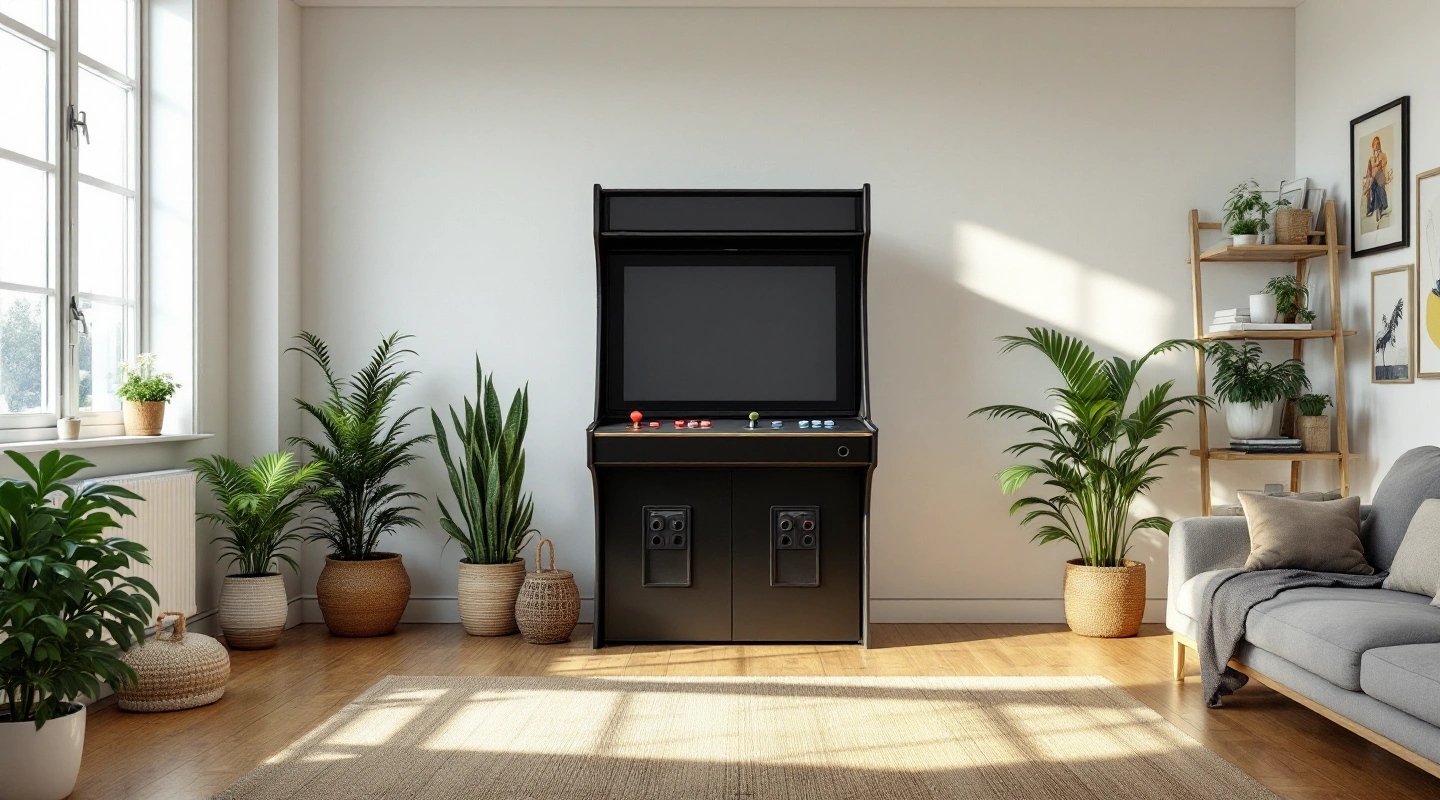
Legends Ultimate Home Arcade Machine
The catalog listing gives a short set of facts. It calls the unit a full-size home arcade machine with over 300 licensed arcade and video games. It names Wi-Fi, Bluetooth and HDMI. Its accessory wording is too vague to count as a parts list.
The maker's arcades FAQ still documents the HA8801 hardware family. It says the family sold after August 2020 has 300 built-in games, not the original 350. It also lists one HDMI input, one USB 2.0 port and one USB 3.0 port, with the ports below the LCD.
That FAQ is the best match for the catalog unit, so use it for support questions. The 300 figure explains why you should read the listing's "over 300" wording with care. Ask the seller which build you are getting.
Request the manual for the model printed on the cabinet before assembly. Manuals for HA8800, HA8801 and HA8802 are not interchangeable just because all use the Legends Ultimate name. Follow that revision's lifting and power instructions. If its manual specifies an anti-tip restraint, fit it before normal use.
| Useful feature | Trade-off or check |
|---|---|
| Full-size home arcade machine per the catalog listing | Confirm the actual deck against the HD family description |
| Over 300 licensed games listed, 300 built-ins in the post-August-2020 FAQ | Exact count and title list depend on the build |
| Maker FAQ documents the HA8801 family, including one HDMI input and USB 2.0 and 3.0 ports | The HDMI port takes in a source and is not an output to a TV |
| Wi-Fi and Bluetooth are listed | Update status and any paid service are not documented in the listing |
Scroll for more →
Identify the hardware revision
Start with the words on the listing. Copy the model name, any model code and any edition tag such as HD or CE-HD. Save the seller's own statement about the version.
For HA8801, match the maker FAQ and manual to the unit's revision. Use the current CE-HD page for CE-HD. A shortened name needs a written model code before you can compare it.
Condition matters too. Confirm the actual unit and its condition with the seller; a catalog description does not establish a current new-stock offer.
Keep screenshots of the listing and your messages. If the unit that arrives does not match, these records support a return request. They also help maker support pick the right manual.
| What to record | Why it matters |
|---|---|
| Exact listing title | Shows what you agreed to buy |
| Model code such as HA8801 | Points you to the right FAQ |
| Edition tag such as CE-HD | CE-HD has its own current page |
| Condition in the seller's words | Affects returns and support |
Scroll for more →
Compare controls and included content
The Legends Ultimate HD family page describes two joysticks, two groups of six action buttons, two spinners and a trackball. That gives a buyer a specific deck to look for instead of treating every control as unknown. It supports different input styles, but does not mean every game uses every control.
Ask for a photo of the actual HA8801 deck and compare it with that family description. Later storage, pinball-button bundles and firmware features are separate revision details; the current HD page is not proof they ship with this older listing.
The maker FAQ specifies a 23.8-inch LCD for Legends Ultimate. The CE-HD sales page uses a 24-inch HD LCD description. Keep those source labels with the exact unit rather than turning a rounded screen label into evidence that the whole cabinet is the same revision.
Built-in content is the other half of this choice. The catalog lists over 300 licensed games across genres such as fighting and puzzle games. The FAQ gives 300 built-ins for the post-August-2020 family and 350 for the original. The CE-HD page also lists 300 built-ins.
A count is not a title list. Open the maker's list for your version and look for the three or four games you care about most. If one is missing, a large count has not helped you.
| Compare | Catalog unit (HA8801 family) | Current CE-HD page |
|---|---|---|
| Screen | 23.8-inch LCD in the maker FAQ | 24-inch HD LCD |
| Controls | HD family: two sticks, two six-button groups, trackball and two spinners; confirm actual deck | Joystick controls plus trackball and spinners |
| Built-in games | Over 300 in the listing, 300 in the post-August-2020 FAQ | 300 |
| Network | Wi-Fi listed | Wi-Fi and Ethernet |
Scroll for more →
Catalog unit (HA8801 family)
- Screen
- 23.8-inch LCD in the maker FAQ
- Controls
- HD family: two sticks, two six-button groups, trackball and two spinners; confirm actual deck
- Built-in games
- Over 300 in the listing, 300 in the post-August-2020 FAQ
- Network
- Wi-Fi listed
Current CE-HD page
- Screen
- 24-inch HD LCD
- Controls
- Joystick controls plus trackball and spinners
- Built-in games
- 300
- Network
- Wi-Fi and Ethernet
Check expansion and firmware compatibility
The FAQ gives the clearest port facts for the older family. There is one HDMI input, so the machine receives an external source. It is not a way to send the picture to a TV. Do not buy a cable for that purpose.
The same FAQ lists a USB 2.0 port and a USB 3.0 port below the LCD. It does not say which accessories each port supports. Check the manual for your revision before you buy a drive or a controller.
Bluetooth appears in the catalog listing. No source we checked names which devices it works with. Wait for a written answer from the maker before you buy a pad or headset.
Firmware is the main open question. No source gives a current firmware version for the older unit, or says whether updates are still offered. Ask maker support, and save the date and the reply. Do not accept a seller's claim that a unit is up to date unless they name the version.
For power and physical setup, follow the maker's manual only. This guide gives no electrical rules and no mounting steps.
Budget for the complete setup
The box is only the start of what you pay. The CE-HD page lists ArcadeNet as optional, which means some content or features sit behind a paid service. Built-in games and optional services are different things, and you should keep them apart when you compare.
No source we checked says whether the older HA8801 unit has an equivalent paid plan. Ask the maker what an account adds and what stops working if you decline it. Also ask whether the built-in games run without a connection.
Spare parts decide how long a cabinet stays useful. Look for a maker page or support contact that names replacement parts for your exact version. If none exists, count that as a risk.
Delivery scope changes the total as well. The old listing weight looks unreliable, so it is left out here. Ask the seller for the shipped weight and delivery terms in writing.
When the box arrives, take photos of the outer packaging before you open it. Compare the contents with the seller's itemized list. Photograph the model label so you have proof of the version.
| Cost item | Ask this |
|---|---|
| Optional service | Included features and behavior without the service |
| Updates | Cost and length of update support |
| Spare parts | Spare parts for the exact revision |
| Delivery | Shipping weight and damage handling |
| Box contents | Written accessory list |
Scroll for more →
Warranty and ongoing support
Support is the quiet tiebreaker. A unit with a clear FAQ, a matching manual and a known update path is easier to live with than one with a bigger game count. The HA8801 family has a maker FAQ. The CE-HD has its own current maker page.
If you pick the older unit, save copies of the FAQ and the manual. Web pages change, and a saved file shows what applied on the day you bought. Match the manual to the revision before you follow a step.
If you lean toward CE-HD, read its page line by line and note each claim that matters to you. Then compare it with the catalog listing. Real differences should drive your choice, and similar names should not.
If both options look right, pick the seller who gives the most complete written answers. Clear revision details and a clear return policy are worth more than a longer feature list.
What to check before ordering
Pick the version first, then the price. The same name can lead to a catalog unit or to the CE-HD page, and each has its own sources. Mixing them is an easy way to buy the wrong cabinet.
Next, think about what you touch most. That means the controls, the screen and the game menu. For the older unit, these must come from the manual or the seller. For the CE-HD, the maker page already lists them.
Then think about the long run. The game library and optional services can change after you buy. The table turns these checks into a routine you can finish before checkout.
| Decision | What to record | Why it matters |
|---|---|---|
| Version and model label | Listing name, model code, seller statement | Decides which page and manual apply |
| Controls | Control types from the manual or maker page | Match the photographed deck to the HD family controls |
| Screen | Maker wording for the display | FAQ gives 23.8 inches; CE-HD page says 24 inches |
| Built-in games | Maker list for your version | A count does not prove your favorite titles |
| Ports | HDMI input, USB 2.0 and USB 3.0 per the FAQ | Input is not an output |
| Optional services | Any paid plan the maker names | Changes total cost |
| Box contents | Seller's written item list | The listing wording is vague |
Scroll for more →
Frequently asked questions
Is the catalog unit the same as CE-HD?
No, treat them as separate. The FAQ documents the HA8801 hardware family, and the CE-HD page describes a current product. Their specs are not interchangeable.
How many games are built in?
The catalog says over 300 licensed games. The FAQ says the post-August-2020 family has 300 built-in games, not the original 350. The CE-HD page also lists 300.
Can I connect the HDMI port to my TV?
Not according to the FAQ. It lists one HDMI input, which receives an external source. It is not an output.
Does it need a subscription?
The CE-HD page lists ArcadeNet as optional. No source we checked says whether the older unit has a matching plan, so ask the maker.
Can I use the older StandardVersion.pdf manual?
No. That file is for model HA8800, not HA8801. Use the FAQ and a manual that matches your revision.
What should I ask the seller first?
Ask for the model code, the condition, an itemized box list, the shipped weight and the return terms. Get all of it in writing.
Verdict
Ask the seller for a photo of the HA8801 label and control deck, the included supply, and a demonstration of the games you need. Keep CE-HD features out of that comparison. Choose this older cabinet when the documented controls suit your library and the actual unit has a clear support and return route.
Continue with the multicade comparison for other cabinet libraries.